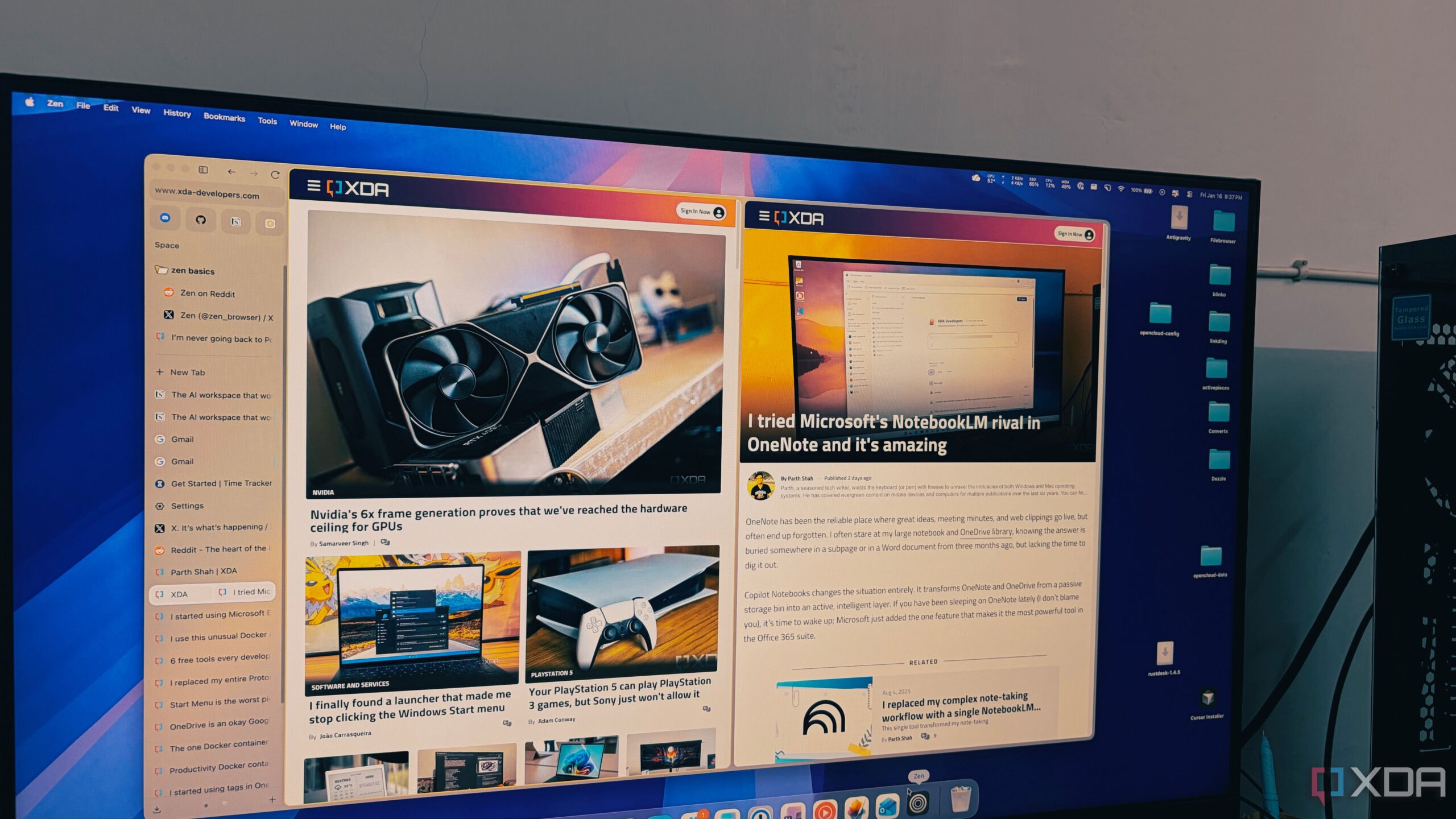
The launch of the Zen Browser marks a significant innovation in web browsing, particularly for users overwhelmed by the demands of multitasking. Designed on a Firefox foundation, this new browser offers a streamlined experience, especially for those who regularly manage numerous tabs. Unlike traditional browsers like Google Chrome, which can struggle under the weight of many open tabs, Zen promises to enhance productivity without compromising performance.
Revolutionizing Tab Management
For users accustomed to juggling dozens of tabs, Zen introduces a vertical tab management system that transforms how one interacts with their browser. Traditional horizontal tab layouts often lead to frustration as tabs shrink to insignificance, making navigation cumbersome. Zen addresses this issue by allowing users to view the full titles of over 100 tabs without losing track of their research. The vertical orientation serves as a live table of contents, simplifying the user experience immensely.
Moreover, the browser incorporates an auto-hide feature for its sidebar, providing a clean, edge-to-edge view of the web. This feature enhances focus by eliminating distractions, allowing users to engage with their content more deeply.
Enhanced Features for Modern Users
In addition to its innovative tab management, Zen Browser offers a unique approach to essential applications. The browser includes a feature called Essentials, which allows users to pin frequently used applications such as WhatsApp, Telegram, Gmail, and Slack at the top of the sidebar. Unlike traditional pinned tabs, these apps remain prominent and easily accessible, creating a permanent dock for essential tools.
Furthermore, Zen Browser incorporates Workspaces that help users organize their browsing activities. By allowing users to create separate environments for different tasks, Zen prevents the overlap of personal and professional browsing. Coupled with Firefox’s container technology, users can log into multiple accounts—such as Google—simultaneously without data interference, facilitating seamless transitions between tasks.
The performance of Zen Browser stands out when compared to competitors like Chrome, Edge, and Brave. Users often experience sluggishness as the number of open tabs increases. In contrast, Zen maintains a responsive and efficient interface even with extensive background activity. The browser’s Gecko engine optimizes resource allocation, ensuring users can work with a large number of tabs without overwhelming their system.
For those who have struggled with traditional browsers, Zen offers a refreshing alternative that respects users’ workflows. By prioritizing a minimalist design and powerful functionality, Zen Browser not only enhances productivity but also aligns with the open-source spirit of its Firefox predecessor.
As the digital landscape continues to evolve, Zen Browser positions itself as a frontrunner for users seeking a tool that understands the complexities of modern online work. In a world where it is essential to stay organized and efficient, this innovative browser could redefine how we navigate the internet, proving that sometimes, a fresh approach can lead to significant improvements in user experience.